Winter Style Styling Studio
Review
Winter Style Styling Studio offers a calm, imaginative space for players to explore fashion combinations without any stress. The two characters each have distinct wardrobes, and the ability to customize skates adds a nice thematic touch. The camera room is a clever addition that lets players share their work. While it lacks depth for older players, its simplicity and positive tone make it an excellent choice for young children and families looking for a safe, engaging activity.
About
Character Preparation Basics
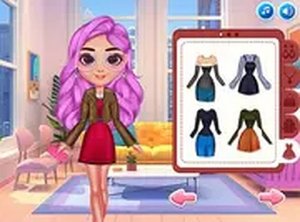
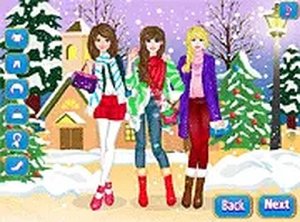
Players begin by selecting one of two available characters to style for an upcoming winter performance. Each character has their own distinct wardrobe options, allowing for personalized combinations. The interface presents a clean layout where choices for hair, tops, skirts, and decorative items are clearly displayed. This setup makes it easy for younger players to navigate while still offering enough variety for those who enjoy detailed customization.
Mixing Hairstyles and Outfits
A wide selection of hairstyles ranges from simple ponytails to elaborate updos, each with different color options. Outfit choices include various dresses and coordinated separates that can be layered or worn alone. The game encourages experimentation by allowing players to try any combination without penalties. This freedom helps users develop an eye for color coordination and personal style in a low-pressure environment.
Accessories and Skate Customization
Beyond clothing, players can add necklaces, headbands, and other decorative pieces to complete each look. The skates themselves can be personalized with different lace colors and small charms. These details add depth to the styling process without overwhelming the player. Accessories are designed to complement the outfits, so even small changes can significantly alter the final appearance.
Camera Room and Sharing Creations
Once both characters are fully styled, players can enter a camera room to take pictures of their creations. This feature allows users to capture different poses and backgrounds, making each photo unique. The sharing option lets players save or send their favorite looks to friends and family. This adds a social element that extends the game's replay value beyond the initial styling session.
Platform Accessibility
The game works smoothly on both desktop computers and mobile devices. On a computer, players use a mouse to click through options; on a touchscreen, tapping works just as well. The responsive design ensures that buttons and menus remain easy to use regardless of screen size. This cross-platform support means players can enjoy the experience at home or on the go without any loss of functionality.
Encouraging Creative Expression
The overall design emphasizes creativity over competition. There are no timers, scores, or wrong choices. Players are free to spend as much time as they like on each character, trying out different color schemes and accessory combinations. This relaxed approach makes the game suitable for short breaks or longer play sessions, appealing to anyone who enjoys fashion and design in a positive, family-friendly setting.




Comments
Sign in to leave a note
You must be logged in before posting a review or rating.
No account? Create one
No comments yet. Be the first to comment!