Santa's Workshop Puzzle Adventure
What players say
A Workshop and a Telephone Puzzle Game Online offers a unique Christmas puzzle experience. The point-and-click mechanics are intuitive. The story of stopping Santa adds humor and motivation. Puzzles require logical thinking and item combination. The game is short but satisfying, with charming visuals. It is ideal for casual players who enjoy brain teasers. Replay value is limited, but the experience is enjoyable for a single playthrough.
How to play
Game Introduction
Step into the boots of one of Santa's elves in this online puzzle game. You uncover a shocking secret: Santa plans to take over the world. Your mission is to navigate his workshop, find clues, and use a telephone to report his scheme. This game offers a unique twist on holiday themes, blending festive cheer with clever brain teasers. It runs directly in your browser, making it easy to jump into the action. With charming graphics and an engaging storyline, players of all ages can enjoy this inventive adventure.
How to Play
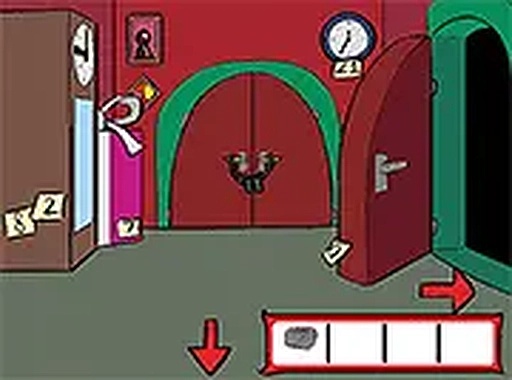
Players typically use their mouse to click on objects and explore the environment. The goal is to search Santa's workshop thoroughly for hidden items and clues. You may need to combine items in your inventory to solve puzzles and progress. The ultimate objective is to reach the telephone and use it to report Santa's plan. Pay attention to details and think creatively to overcome obstacles. The game is designed for desktop play with a keyboard or mouse, and you can switch to full screen mode for a better view.
Game Features
This puzzle game includes point-and-click mechanics with a festive Christmas theme. It features an engaging storyline that adds depth to the gameplay. Hidden items and clues are scattered throughout the workshop for you to discover. An inventory system allows you to collect and combine items to solve challenges. The game is free to play directly in your browser without any downloads. Full screen mode is available for an immersive experience.
Tips for Success
To succeed in this game, explore every corner of the workshop thoroughly. Hidden clues are often placed in unexpected spots. Think creatively about how to combine items in your inventory. Pay close attention to details in the environment, as they may hint at solutions. Take your time and don't rush—puzzles are designed to be solved through careful observation. If you get stuck, try interacting with objects you might have overlooked.